
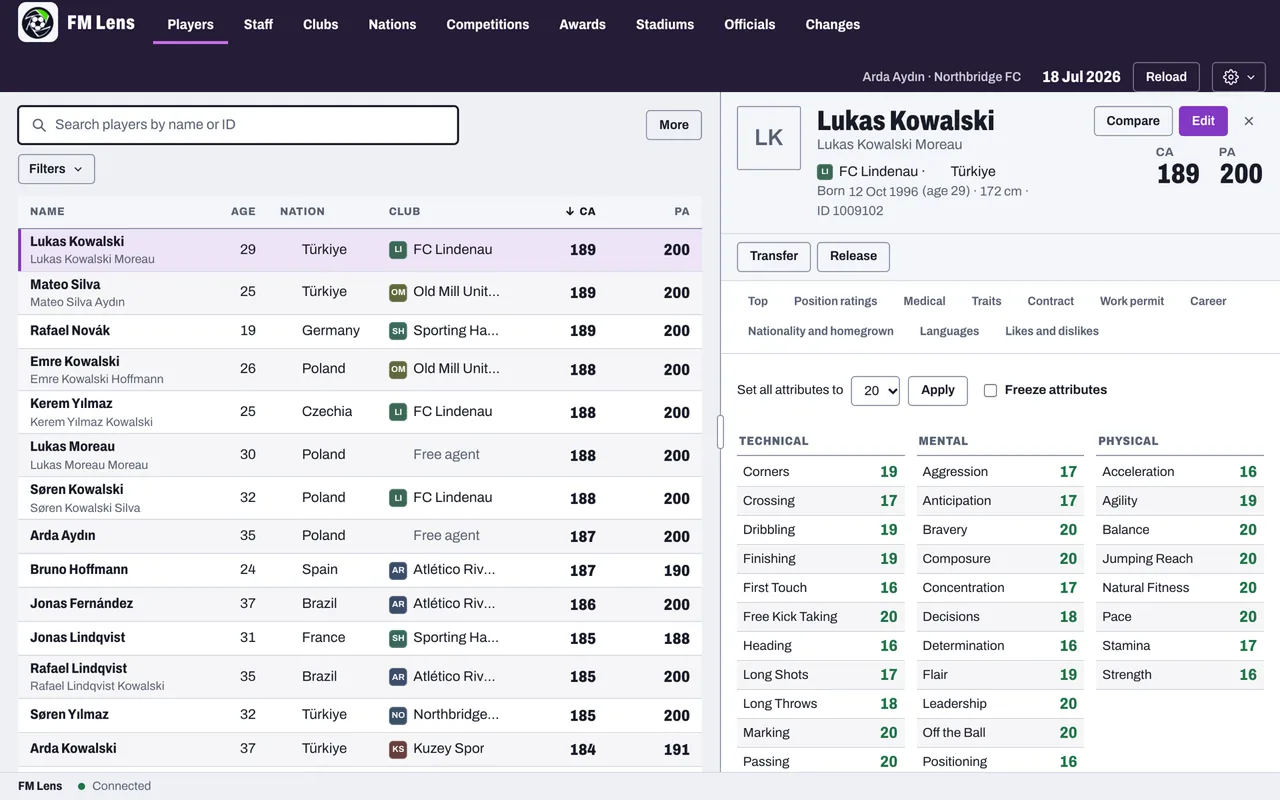
What it does
- Find anyone
- Search and filter players, staff and clubs. Browse nations, stadiums and officials too.
- Edit your save
- Attributes, CA and PA, positions, traits, personality and contracts, plus club finances and facilities.
- Undo any change
- Edits go into FM when you press Apply. Changes lists each one, ready to undo.
- Templates
- Copy a player's profile onto others, with a preview first.
- Squad actions
- Heal injuries, lift bans, refresh fitness and sharpness, or freeze a player's attributes.
- Out of your way
- Works offline and updates itself.
Get started
-
Open the disk image and drag FM Lens onto Applications. The first time, macOS cannot check the app: open System Settings › Privacy & Security and choose Open Anyway.
-
Save and quit FM, quit Steam, then choose Set up in FM Lens.
-
Start FM from Steam, load a copy of your save and choose Connect.